Operations room
The Sala operativa (operations room) is the first page of Emergency Center.
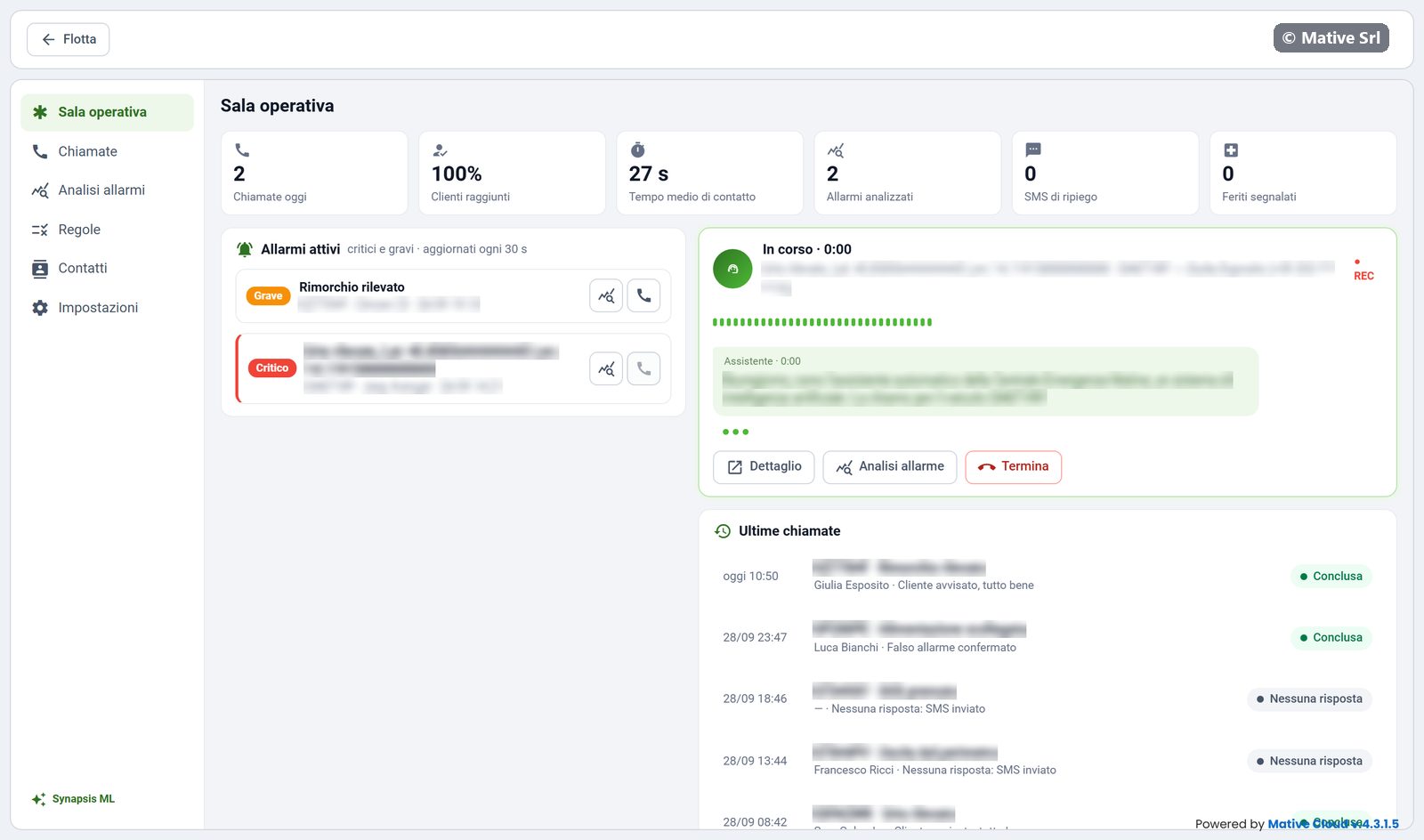
Numbers of the day
| Box | Meaning |
|---|---|
| Chiamate oggi | Calls made today |
| Clienti raggiunti | Share of calls answered by the customer |
| Tempo medio di contatto | Average time between the alarm and the answer |
| Allarmi analizzati | Alarms analysed by Synapsis ML |
| SMS di ripiego | Fallback SMS sent when the customer did not answer |
| Feriti segnalati | Calls in which the customer reported injured people |
Active alarms
The list shows the open critical (Critico) and major (Grave) alarms of the fleet, updated every 30 seconds. Each alarm has two buttons:
- Analizza (the chart icon) opens the Synapsis ML analysis;
- Chiama (the phone icon) starts a call to the contact of the vehicle straight away.
A call does not start if the vehicle has no contact, or if the contact has not given consent to automatic calls: a message explains why.
Call in progress
When a call starts, automatically or with Chiama, the card on the right shows:
- the status (Sta squillando, ringing, then In corso, in progress) and the duration;
- the alarm, the plate and the contact called;
- REC when the call is being recorded;
- the transcript, line by line, as the assistant and the customer speak.
Buttons:
- Dettaglio opens the call in Chiamate;
- Analisi allarme opens the analysis of the alarm;
- Termina ends the call.
When there is no call in progress, the card says so.
Latest calls
Under the call, Ultime chiamate lists the most recent calls with time, vehicle, alarm, contact, outcome and status. Click one to open its detail.